On November 17, 2026, Google opened its AI agent to every Gemini user, free tier included. Until then it was reserved for paying subscribers and called Spark. Now it's called Tasks, and it does what the name says: it takes a task and gets it done. It visits websites, compares prices, checks your calendar, books meetings, works in the background and tells you when it's finished. The first rollout covers 6 countries: the US, Canada, Japan, South Korea, Australia and India.
The direction is clear. AI agents are moving from the lab into everyday use. For a business, the interesting question isn't what Google's agent will do for you at home. It's what an AI agent for business can do once it's connected to your own systems.
What is an AI agent, and how is it different from a chatbot?
A chatbot answers questions. An AI agent gets a goal and runs a whole process to reach it: it reads information, decides the next step, uses tools (email, CRM, calendar, accounting) and reports back when it's done. The practical difference is simple. A chatbot gives you an answer. An agent gives you finished work.
Why now
The tools have matured, and the big platforms are building agents into their products. Gartner, the technology research firm, predicts that by 2028 a third of enterprise software applications will include agentic AI, up from less than 1% in 2024, and that at least 15% of day-to-day work decisions will be made autonomously by agents. In 2024 that number was zero.
A small or mid-size business doesn't need to wait for 2028. The processes best suited to an agent already exist in your business today.
3 processes an AI agent can take over today
1. Lead handling
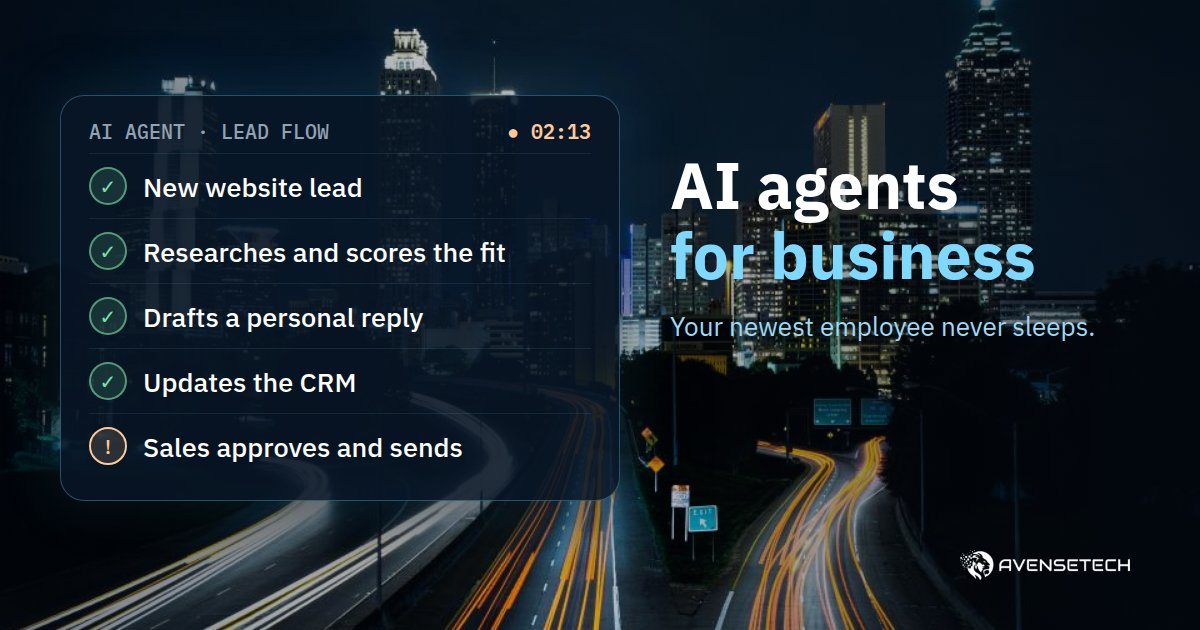
A lead comes in from your website at 2am. By morning the agent has researched the company, scored how well it fits you, drafted a personal reply that addresses what the lead actually wrote, and updated the lead record in your CRM. Your salesperson arrives, reads it, tweaks a word if needed and hits "send". The customer gets a personal answer the same morning instead of two days later, and the decision to send stays with a person.
2. Supplier invoices
The agent reads invoices that arrive by email, extracts amounts and line items, matches each invoice to an order in your system, and flags anything that doesn't add up: a different amount, an item nobody ordered, a duplicate invoice. Your bookkeeper gets a short list of exceptions instead of a pile of documents.
3. Customer support
The agent answers customers from your knowledge base: policies, price lists, order status from your system. When it isn't sure, or when a customer is upset, it opens a ticket and hands over to a person with a summary of the conversation, so your rep doesn't start from zero.
How to build an agent that actually works
Gartner also predicts that more than 40% of agentic AI projects will be canceled by the end of 2027, mostly because of escalating costs, unclear business value or weak risk controls. Those reasons show exactly how to build it right:
- Start with one process that repeats every day. Not "an agent that does everything", but one process with a clear start, end and metric: lead response time, hours spent on invoices, the share of tickets closed without a rep.
- Give it only the permissions it needs. The lead agent reads and updates the CRM. It doesn't need access to your bank account.
- Money and customers go through a human. Google built its own agent this way: it won't pay for anything without your explicit approval. The same principle applies in a business. Every message to a customer and every payment waits for a person's "yes" until the agent has proven itself.
- Log every action. You see what the agent did, when and why. That lets you fix things fast and builds trust inside the team.
- Measure, then expand. After a month of good numbers on the first process, move on to the second.
What you need to get started
Three things: one process you want off your desk, access to the systems it touches (email, CRM, accounting), and one metric that tells you whether it worked. The rest gets built: integrations between systems, instructions for the agent, a knowledge base, tests and permissions.
We build AI agents and automations for businesses, from specification to launch, including integration with the systems you already use. If you're still weighing where AI really adds value in a product or process, we wrote about that here.
FAQ
Does an AI agent replace employees?
It replaces tasks, not people. Your team stops copying data and sorting email, and spends that time on conversations, decisions and customers.
Is Google's agent enough for a business?
It's built for personal use. In a business, the value comes from connecting to your systems, your data and your rules, and that takes an agent built for you.
How long does it take to build a first agent?
It depends on the process and the systems. Our advice: start with one process, go live fast, and improve based on what the numbers show.
Want an AI agent for your business? Tell us about the process you'd like to hand over, and we'll come back with a proposal for how to build it.